
Learn how to effectively use MyBatis SQL Log Merger to transform your debugging workflow
This comprehensive guide will walk you through all the features and capabilities of the MyBatis SQL Log Merger extension. Whether you're a beginner or an experienced user, you'll find valuable tips to enhance your productivity.
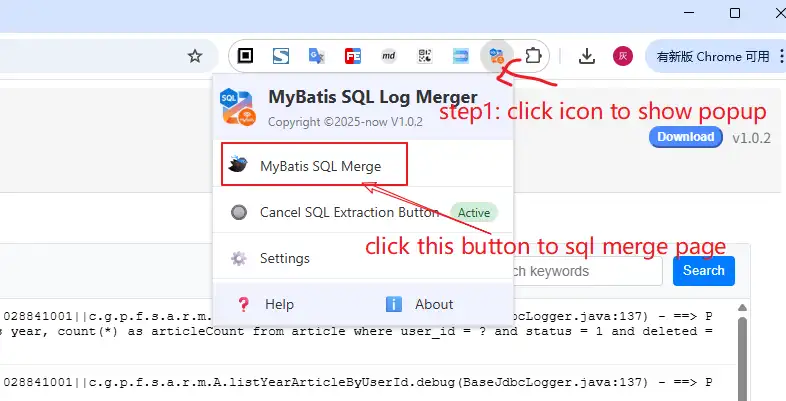
Getting started with MyBatis SQL Log Merger is simple:
You can pin the extension to your toolbar for quick access by clicking the puzzle piece icon in Chrome, finding MyBatis SQL Log Merger, and selecting the pin icon.
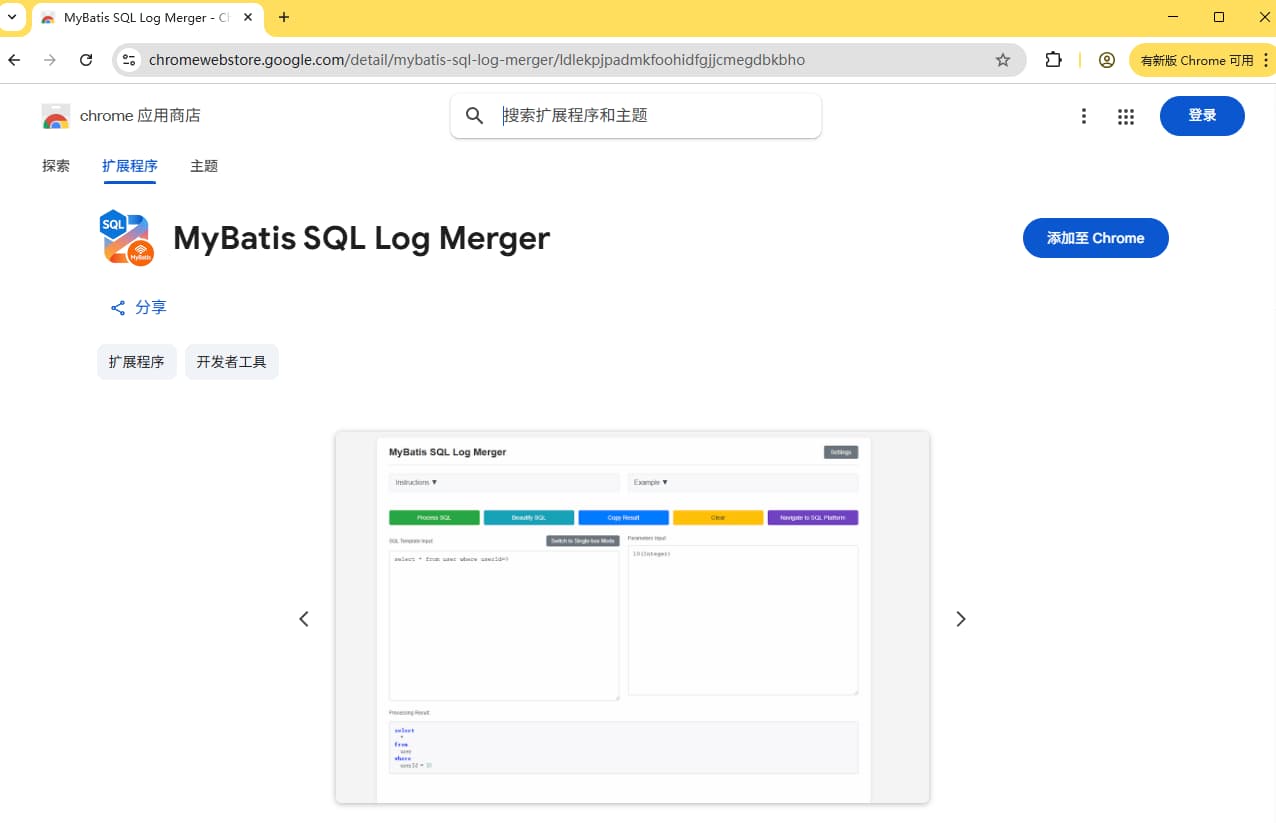
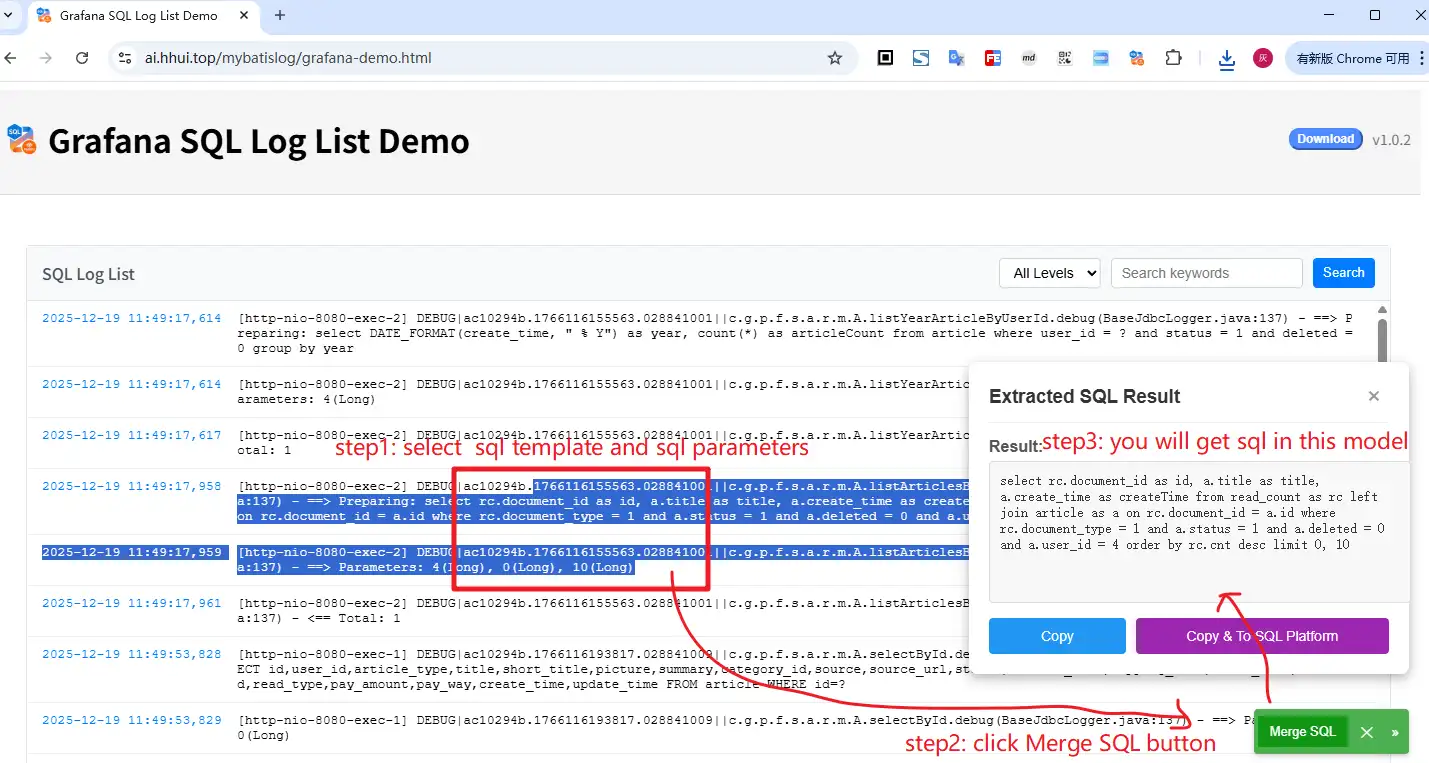
MyBatis SQL Log Merger offers a convenient way to extract SQL directly from any webpage by injecting a button into the page. Here's how to activate this feature:
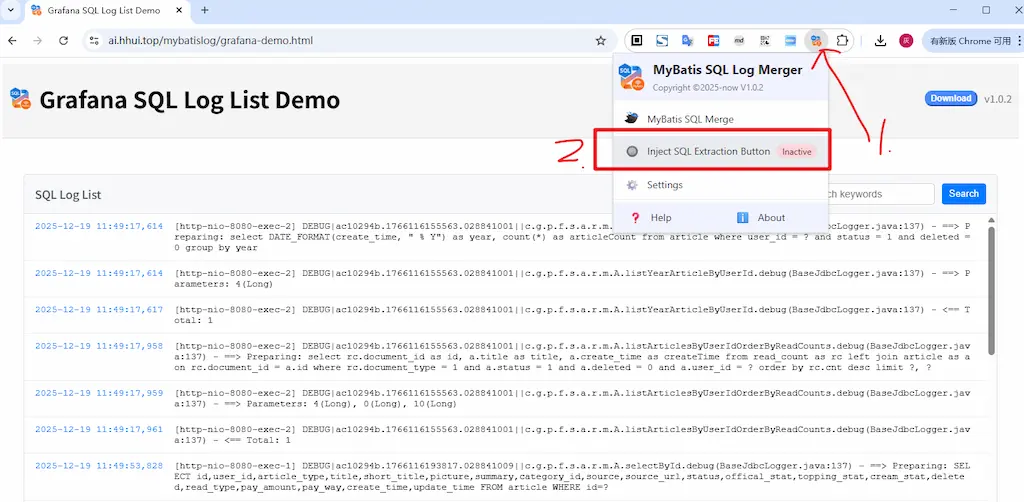
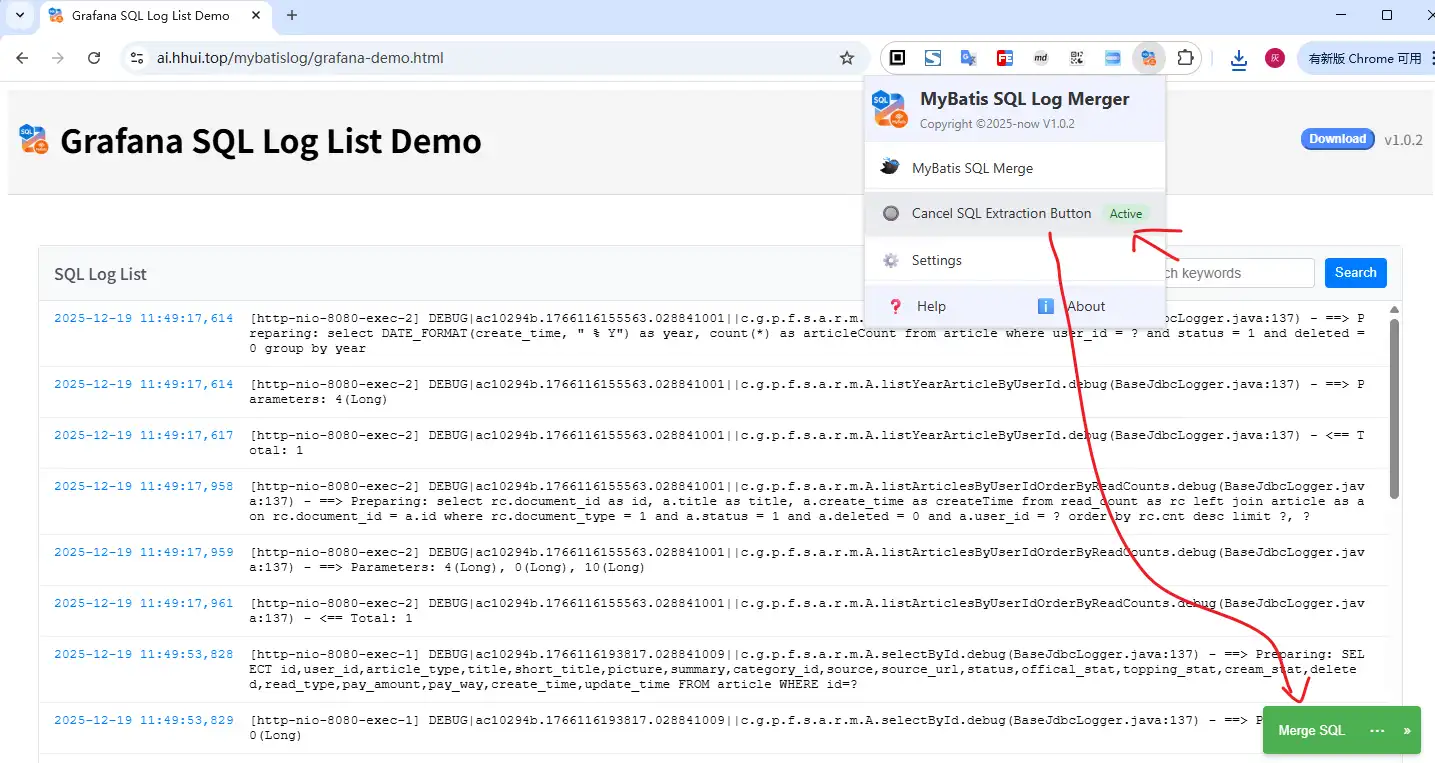
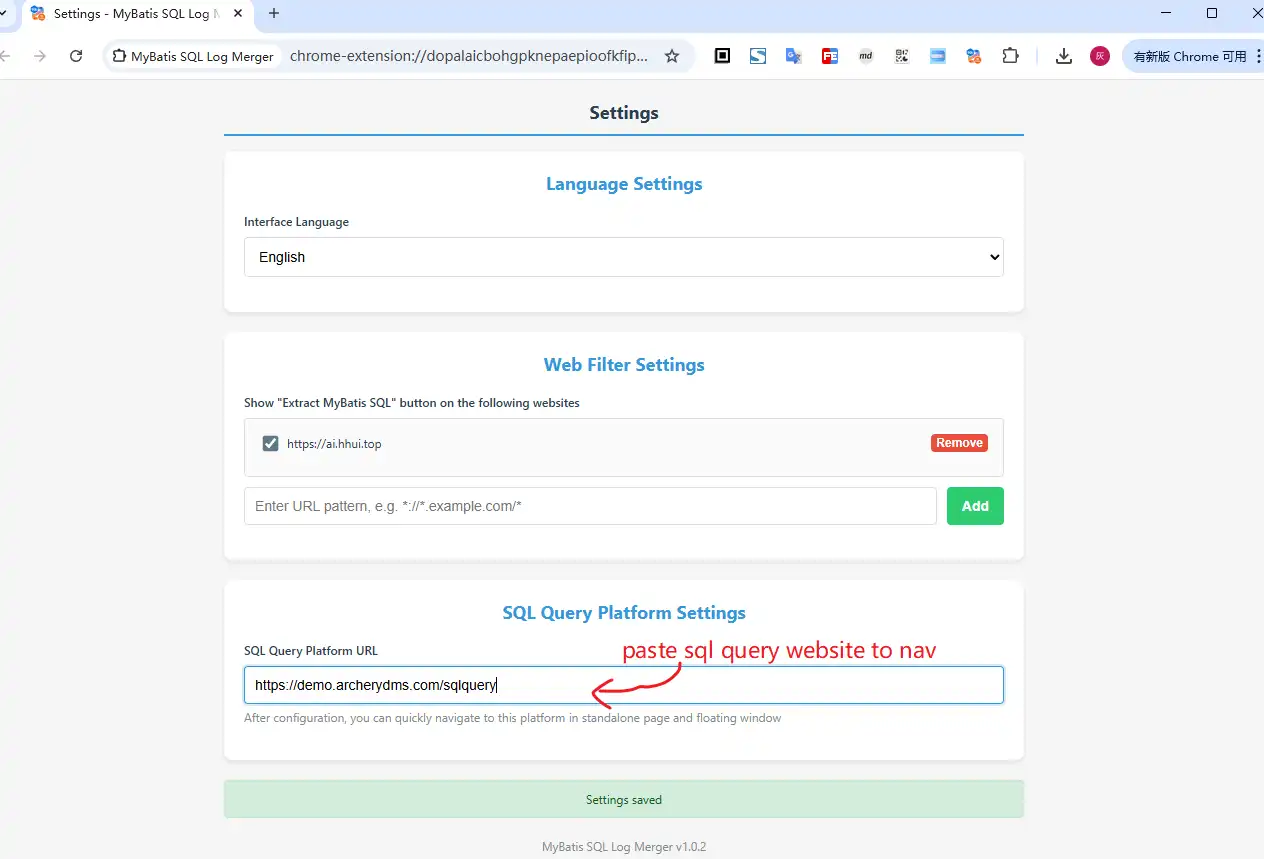
Once activated, you can easily extract SQL from any selected MyBatis logs on the page:
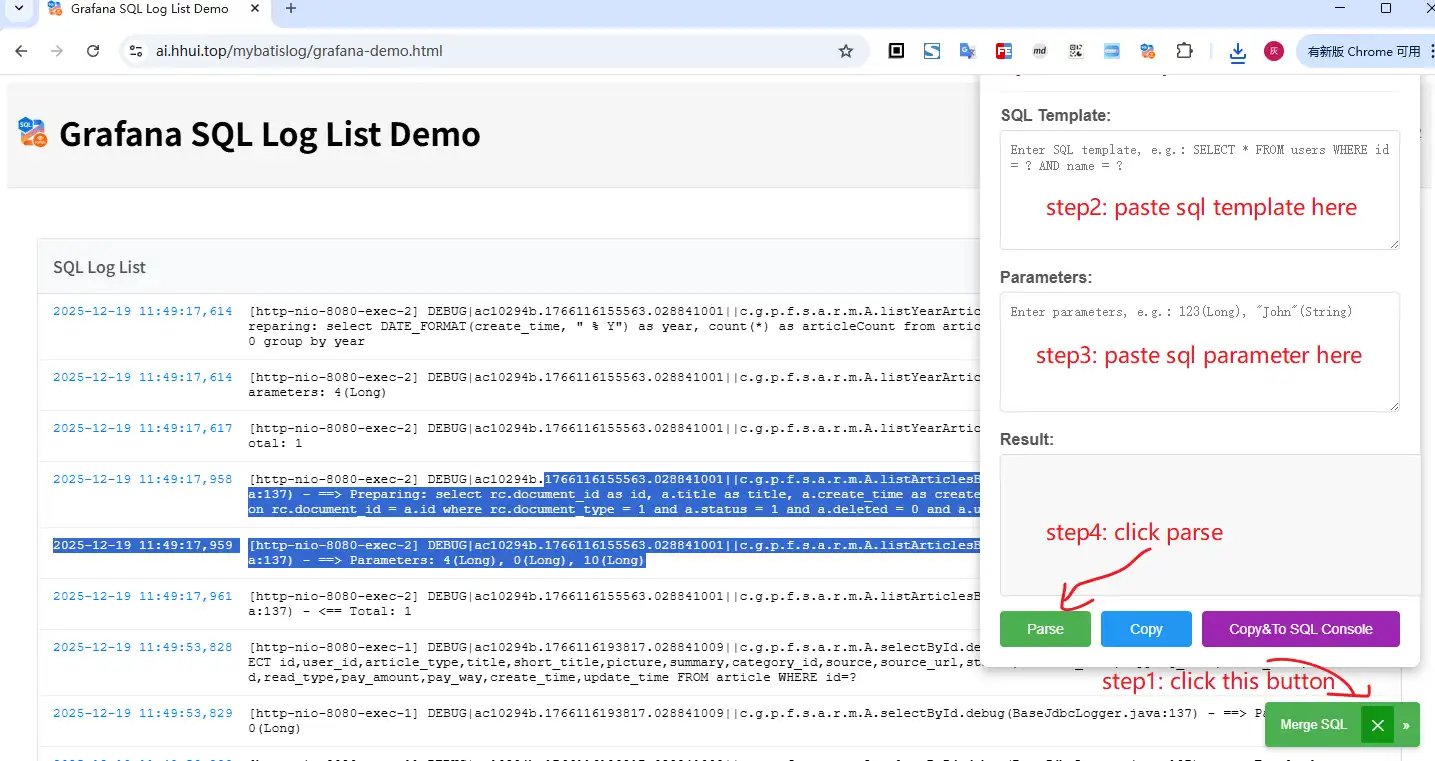
If you want to manually enter SQL templates and parameters, click the expand icon next to the extraction button:
The injection button feature works with the same log formats as the standalone mode, supporting both formats with and without Preparing: and Parameters: prefixes.
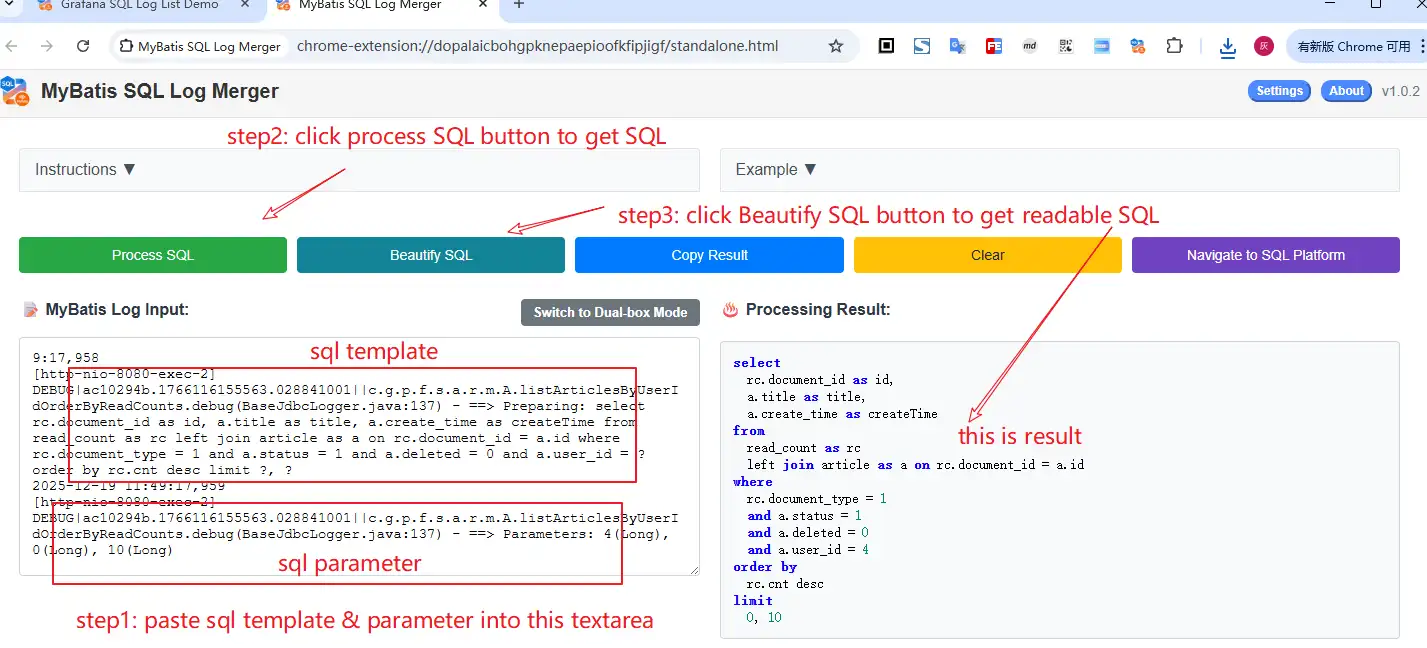
Single Mode is ideal when you have complete MyBatis logs in one place:
Single Mode works with logs that contain both the SQL template and parameters in one continuous block. It supports logs with or without "Preparing:" and "Parameters:" prefixes.
Dual Mode is perfect when your SQL templates and parameters are in separate locations:
Dual Mode gives you more control over the input and is especially useful when copying from different sources or when logs are fragmented.
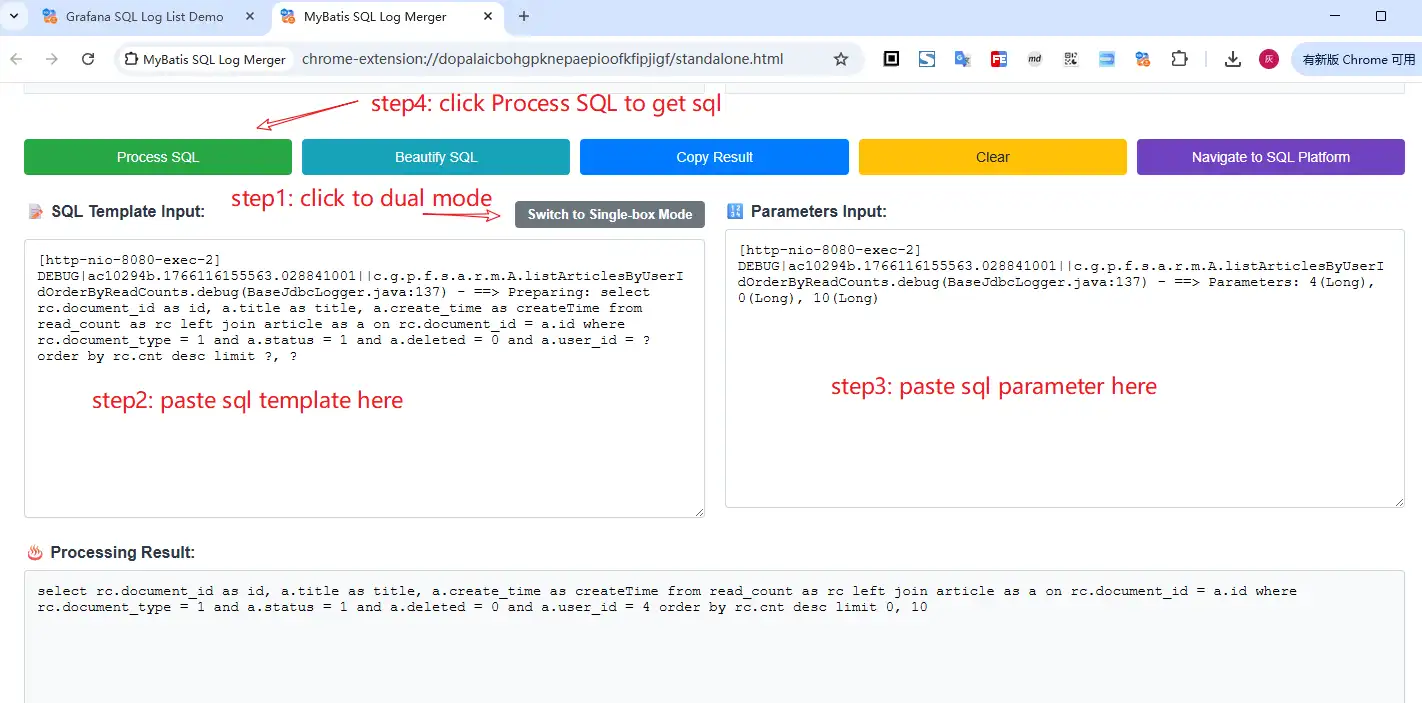
Take advantage of these powerful features to enhance your workflow:
After generating your SQL, you can further refine it using the beautify feature to make complex queries more readable.
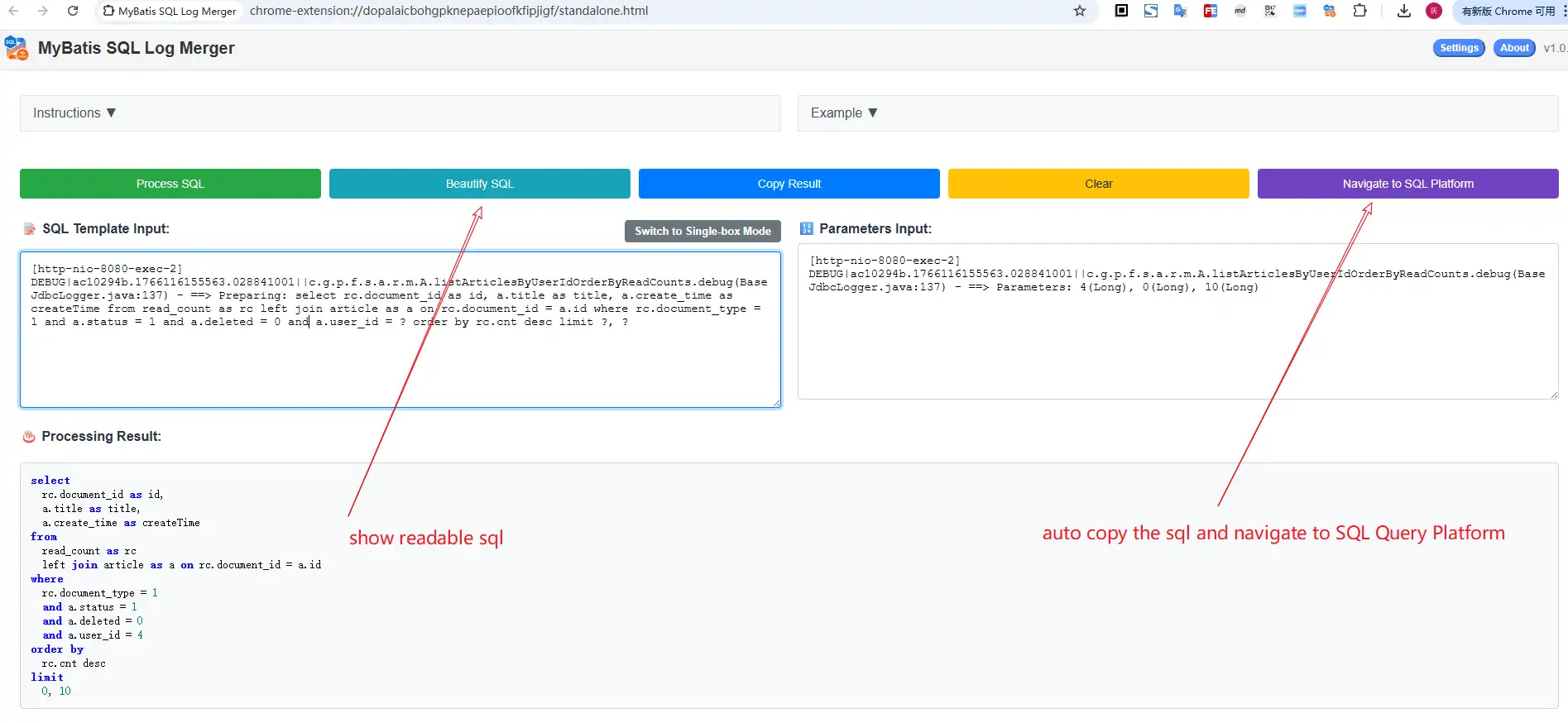
Our extension supports both standard MyBatis log formats and logs with "Preparing:" and "Parameters:" prefixes. It works with DEBUG level logs that show the SQL template and parameter values. Both single-line and multi-line formats are supported.
Absolutely! All processing happens locally in your browser. No data is sent to any servers, ensuring your sensitive SQL queries and log information remain completely private. Your data never leaves your computer.
This usually happens when the log format isn't correctly recognized. Make sure you're using the appropriate mode (Single or Dual) for your log structure. Also, check that your logs contain both the SQL template and parameter information. If issues persist, try cleaning up the log text by removing extra spaces or line breaks.
While technically possible, we recommend using this tool primarily for development and debugging purposes. Always ensure you have proper authorization before running any queries against production databases. The generated SQL is meant for analysis and testing, not direct production use.